Bitbucket integration
Record every push to your main branch as a Deployment note, so a metric shift lines up with the code that shipped.
This integration logs every push to your main branch (your main branch, where your live code lives) from Bitbucket as a Deployment note, with the repository, branch, and commit (one saved change), so a shift in your metrics has an obvious cause.
What lands on your timeline
When you push (send up new code) to your main branch, CoNote records a Deployment note (other branches are ignored by default).
How it works
CoNote gives you a private link, so Bitbucket sends each push automatically. Every request carries a private key only you and CoNote share, so Bitbucket can prove the message is real, and only genuine Bitbucket events are logged.
Setting it up
Add the integration
In Integrations, choose Bitbucket. Copy the link and the private key shown after you connect.
Add the webhook in Bitbucket
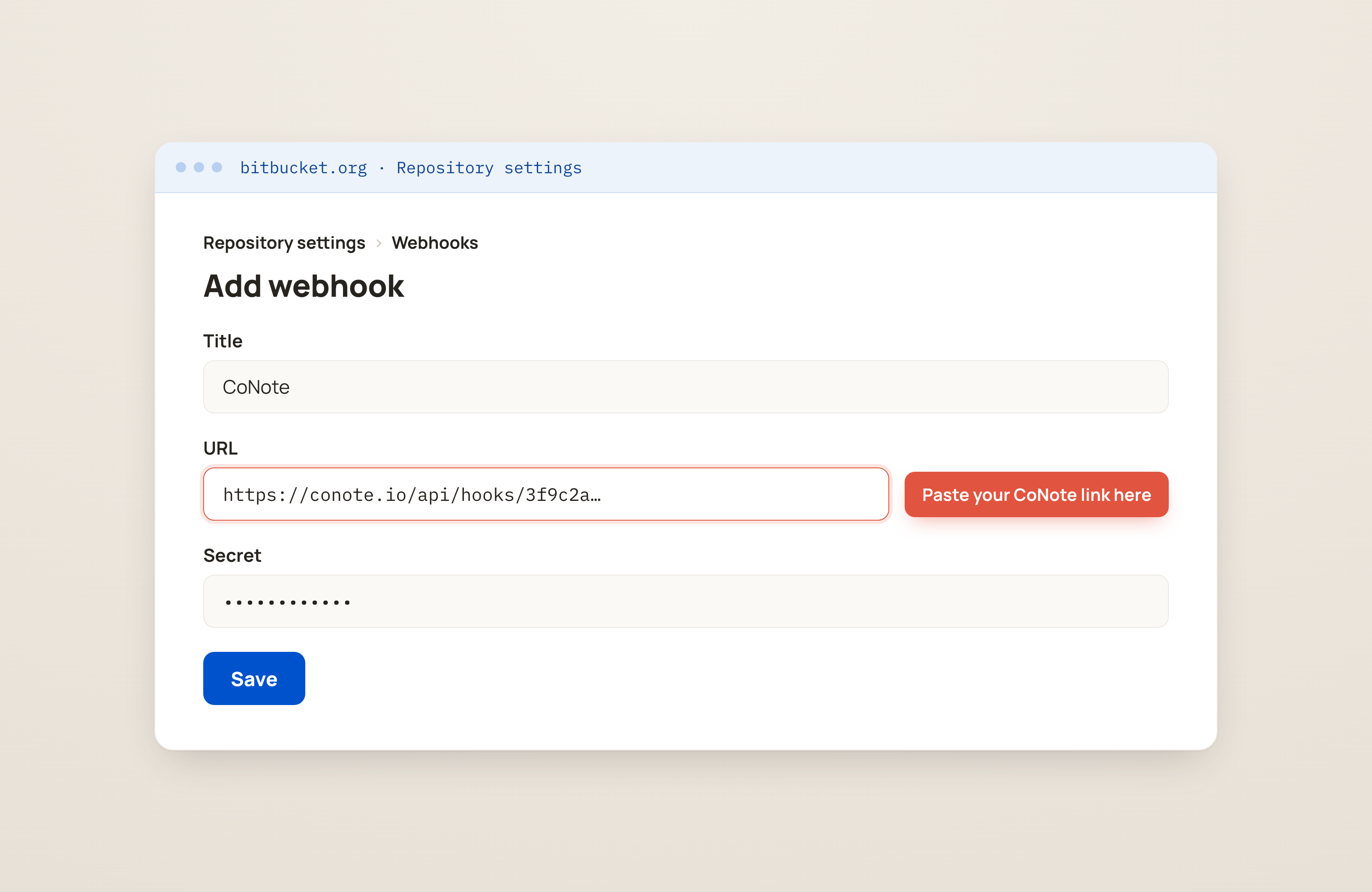
In Bitbucket, go to Repository settings → Webhooks → Add webhook (the Webhooks section, where tools send updates from). Paste the CoNote link, paste the private key into the Secret field, and select the Repository push trigger.
Save
Save the webhook. New pushes to your main branch appear on the timeline within seconds.