Datadog integration
Record triggered monitor alerts and recoveries as Incident notes, so an alert lines up with the deploy or change that set it off.
This integration puts Datadog's triggered monitor alerts (and recoveries) on your CoNote timeline as Incident notes, beside the deploys and config changes from the same moment.
What lands on your timeline
A note when a monitor triggers, and another when it recovers.
How it works
CoNote gives you a private link, so Datadog sends each alert automatically. Datadog can't attach a private key to the message on its own, so you add a private key only you and CoNote share, either as an extra field on the message or on the end of the link, and CoNote checks it to confirm the message is real.
Setting it up
Add the integration
In Integrations, choose Datadog. Copy the link and the private key shown after you connect.
Create the webhook in Datadog
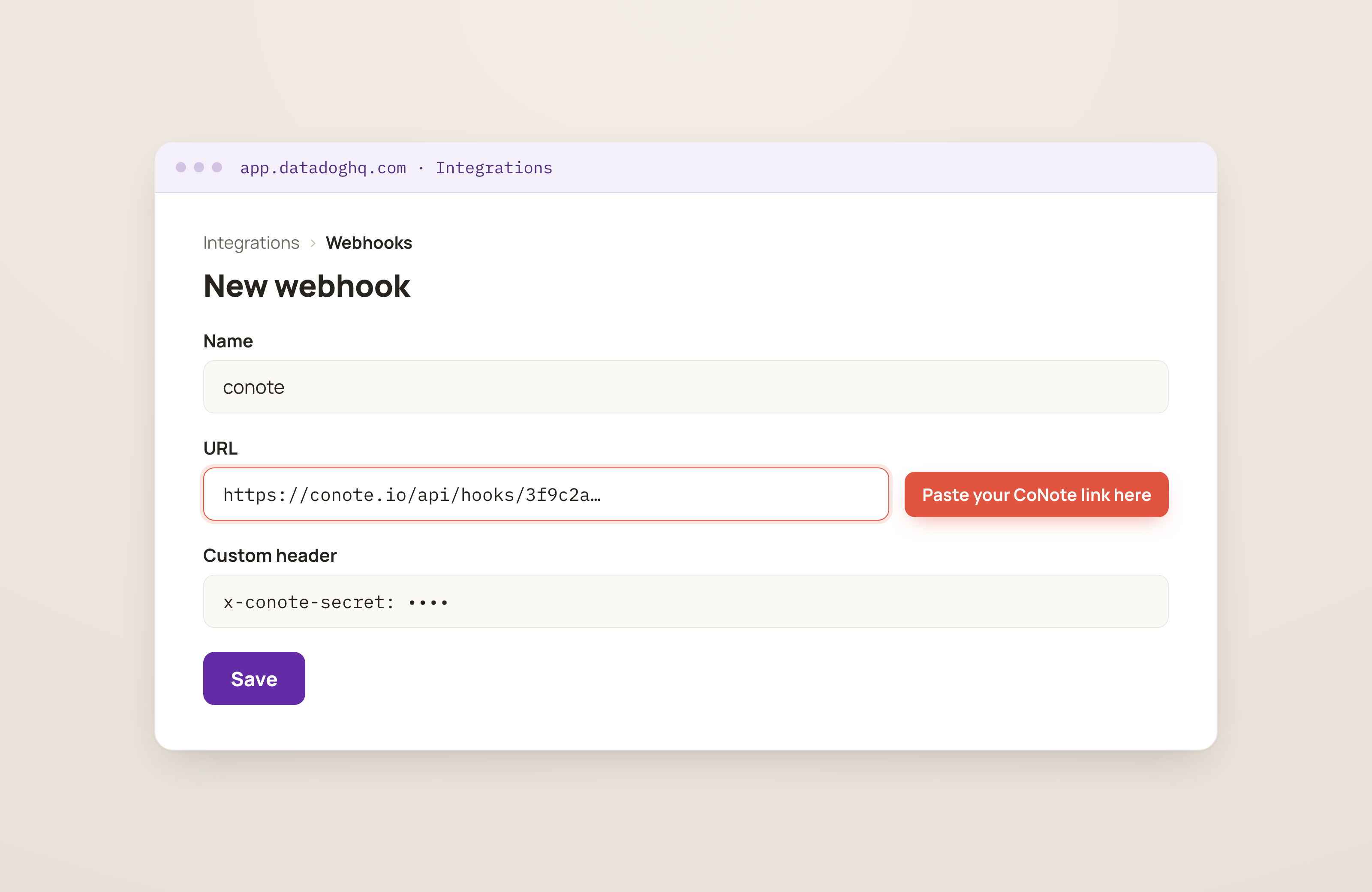
In Datadog, go to Integrations → Webhooks → New (the Webhooks section, where tools send updates from). Set the URL to the CoNote link, add a custom header
x-conote-secret(an extra field on the message that proves it's from you) with the private key (or append?secret=…to the link), and set the message body to the content shown in the connect screen.Add it to your monitors
Add the webhook as a notification (
@webhook-name) on the monitors you want on the timeline.
The message template uses Datadog's $ALERT_TRANSITION variable, so CoNote can tell a trigger from
a recovery. Keep the template as shown.