Notifications & digests
Choose how often you get a logbook digest, and let owners and admins hear when an integration stops reporting.
CoNote keeps you in the loop by email, on your terms. Notification preferences are per-person, per-team — set under Settings → Notifications.
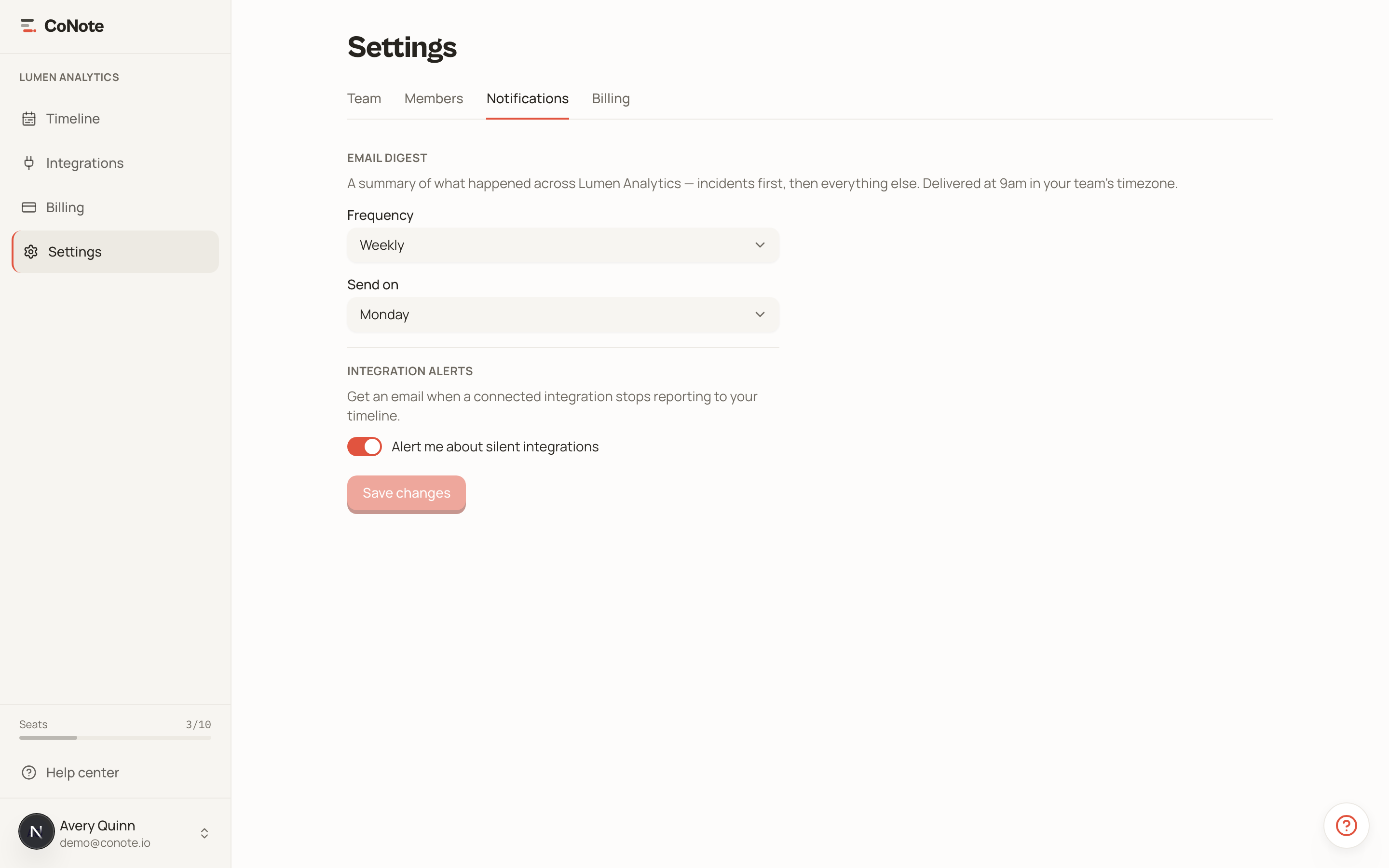
The logbook digest
A digest is a periodic email that lists what landed on your timeline, grouped day by day, so you can scan the week without logging in. Incidents lead, paired with the deploys and config changes near them, and every entry links straight to its place on the timeline. Choose how often you get one:
- Weekly — a roundup on the weekday you pick (the default).
- Daily — every day.
- Off — no digest.
Digests are sent at 9am in your team's timezone.
Choosing categories
By default a digest covers every category. If you only care about certain kinds of events, pick them under Categories and the digest narrows to just those — handy when you want incidents and deploys but not every content update.
When you filter to incidents, the deployments and configuration changes around each incident are still included as context, even if you didn't pick those categories — that "what changed right before this broke?" pairing is the point of the digest.
Comments
When someone comments on a note you follow — one you logged or already commented on — CoNote can tell you. Under Comments, pick your channel: in-app and email, in-app only, email only, or off. In-app notifications show up under the bell in the top-left; you're never notified about your own comments. See Comments & discussion for how threads work.
Integration health alerts
Owners and admins can opt in to integration health alerts — an email when an integration that should be reporting goes quiet, so a silently broken connection doesn't leave a gap in your timeline. The alert clears automatically when the integration recovers.
Plan & billing alerts
When your team approaches or reaches a plan limit — notes at 80%, 90%, and 100%, a weekly reminder while notes are locked, or all seats filling up — CoNote emails everyone on the team and adds an in-app notification. Billing messages like a failed payment go to the whole team too. These are account-status messages, so they're always on and can't be unsubscribed from. See Plans & seats for what happens at each limit.
Unsubscribing
Every digest and integration-health email has a one-click unsubscribe link that works without signing in. You can re-enable notifications any time from Settings. (Plan and billing alerts are transactional and always sent.)
If your timeline ever looks emptier than expected, integration health alerts are the early warning — turn them on if you rely on automatic events.