Jira integration
Record Jira version releases as Deployment notes, so a shipped release lines up with the metrics it moved.
This integration logs version releases from your Jira projects as Deployment notes, so when you ship a release, it's on the timeline next to the deploys and changes from the same day.
What lands on your timeline
A note when a Jira version is released (and, optionally, created).
How it works
CoNote gives you a private link, so Jira sends each version change automatically. Jira can't attach a private key to the message, so instead you add the private key to the end of the link, and CoNote checks it to confirm the message is real.
Setting it up
Add the integration
In Integrations, choose Jira. Copy the link and the private key shown after you connect.
Add the webhook in Jira
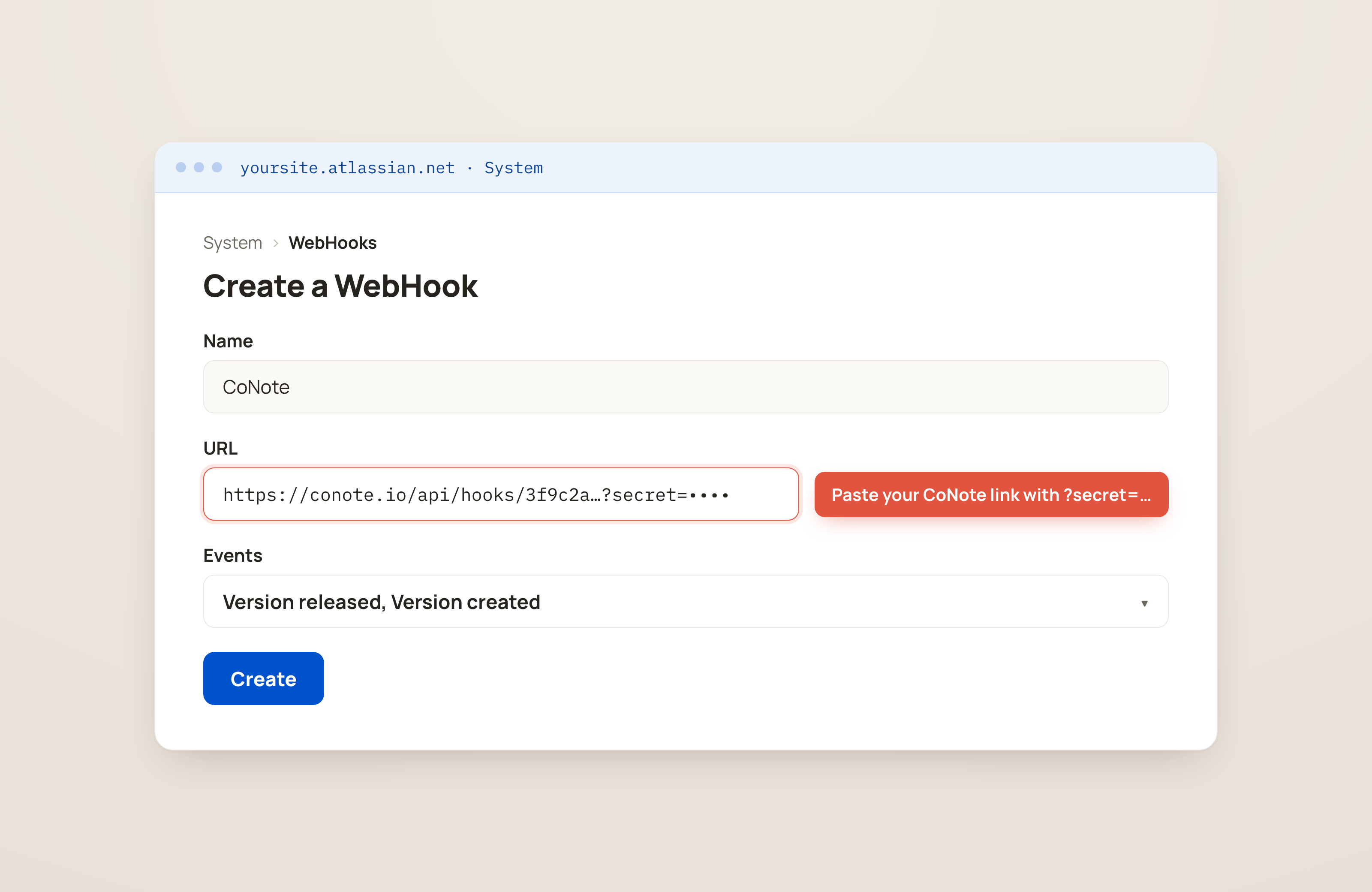
In Jira, go to Settings → System → Webhooks → Create a Webhook (the Webhooks section, where tools send updates from). Set the URL to the CoNote link with
?secret=<secret>appended, and tick the Version → released (and created) events.Save
Save the webhook. Releases appear on the timeline as they happen.