PagerDuty integration
Record incidents as they're triggered, acknowledged, escalated, and resolved, so an outage lines up with the deploy or change behind it.
When something breaks, the incident timeline and the change timeline are usually in two different tools. This integration puts PagerDuty incidents on your CoNote timeline as Incident notes, right next to the deploys and config changes from the same hour.
What lands on your timeline
A note whenever an incident is triggered, acknowledged, escalated, or resolved.
How it works
PagerDuty sends each incident change to CoNote automatically over a private link CoNote gives you. Every request is verified, so only genuine PagerDuty events are logged.
Setting it up
Add the integration
In Integrations, choose PagerDuty. Copy the private link (the webhook URL) shown after you connect.
Create the webhook in PagerDuty
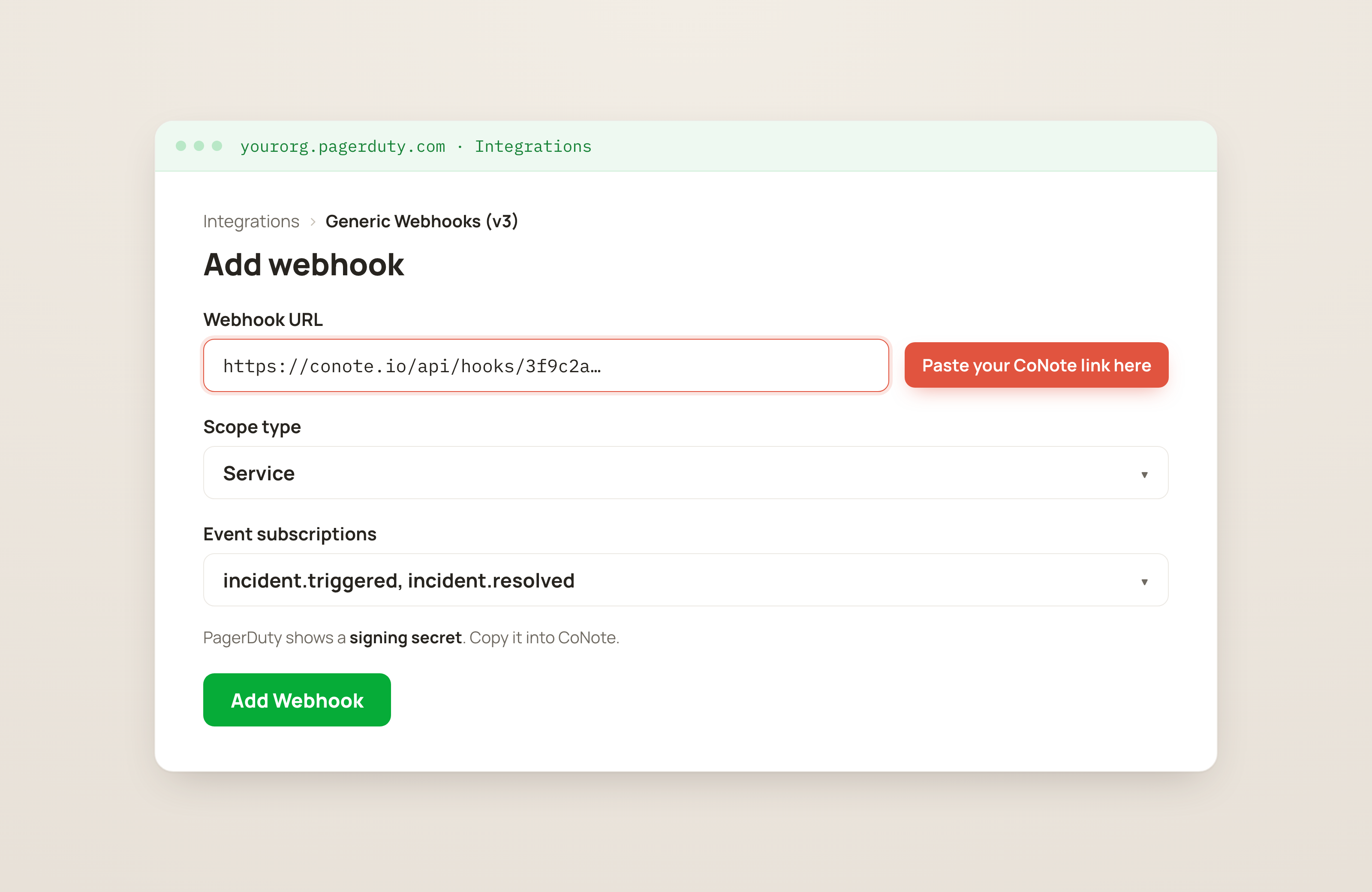
In PagerDuty, go to Integrations → Generic Webhooks (v3) → New Webhook (the Webhooks section, where tools send updates from). Set the URL to the CoNote link, scope it to your service, and subscribe to the incident events.
Paste the signing secret
PagerDuty shows a signing secret: a private key only you and CoNote share, so PagerDuty can prove the message is real. Copy it and paste it into this integration's settings in CoNote.