WooCommerce integration
Record product, price, and coupon changes in your WooCommerce shop as Configuration notes, so a sales shift lines up with the change behind it.
This integration logs product, price, and coupon changes in your WooCommerce shop as Configuration notes, so a shift in your numbers has an obvious cause.
What lands on your timeline
A note when a product or coupon is created or updated.
How it works
WooCommerce sends each change to CoNote automatically over a private link CoNote gives you. Every request is verified with a private key only you and CoNote share, so only genuine events are logged.
Setting it up
Add the integration
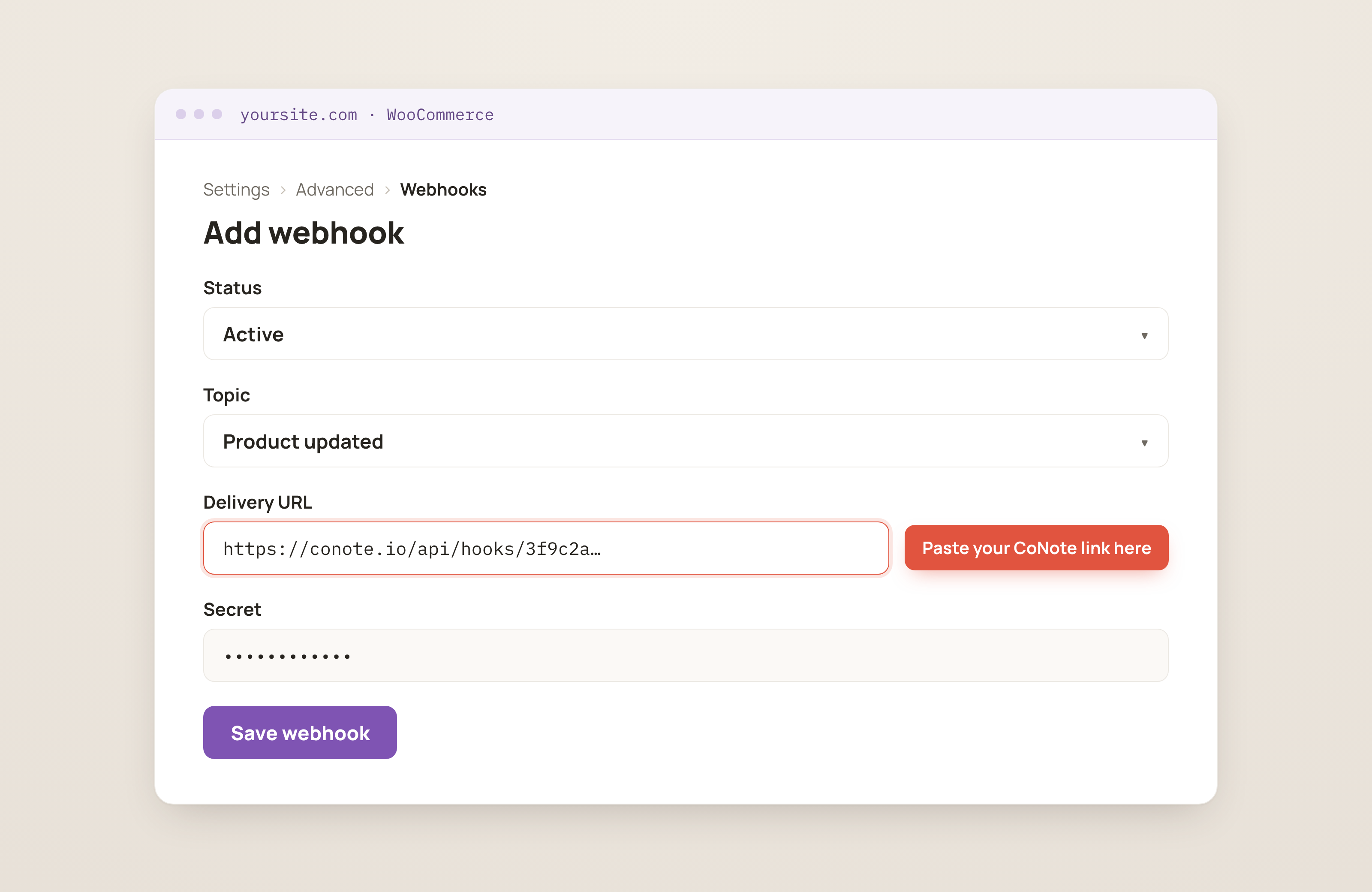
In Integrations, choose WooCommerce. Copy the private link (the webhook URL) and the private key (the secret) shown after you connect.
Add the webhook in WooCommerce
In WordPress, go to WooCommerce → Settings → Advanced → Webhooks → Add webhook (the Webhooks section, where tools send updates from). Set status Active, choose a Product (and Coupon) topic, and set the Delivery URL to the CoNote link.
Paste the secret
Paste the private key into the Secret field and save.