Integrations overview
Connect your tools once and the logbook fills itself. Here's how integrations work and how to add one.
Integrations are what make CoNote automatic. Each one connects an external tool and turns its activity into notes on your timeline — no copy-pasting, no manual logging.
How they work
Every integration works in one of two ways:
- Real-time: the tool sends each change to a private CoNote link the moment it happens, so it lands on your timeline within seconds (e.g. GitHub, Webhook). This kind of link is called a webhook; you set it up once and forget it.
- Scheduled: CoNote checks the tool at a set interval (every few minutes) and records what changed since last time (e.g. Google Tag Manager, Uptime).
Either way, the integration turns the tool's raw activity into a clean, readable note on your timeline.
Adding one
Open the catalog
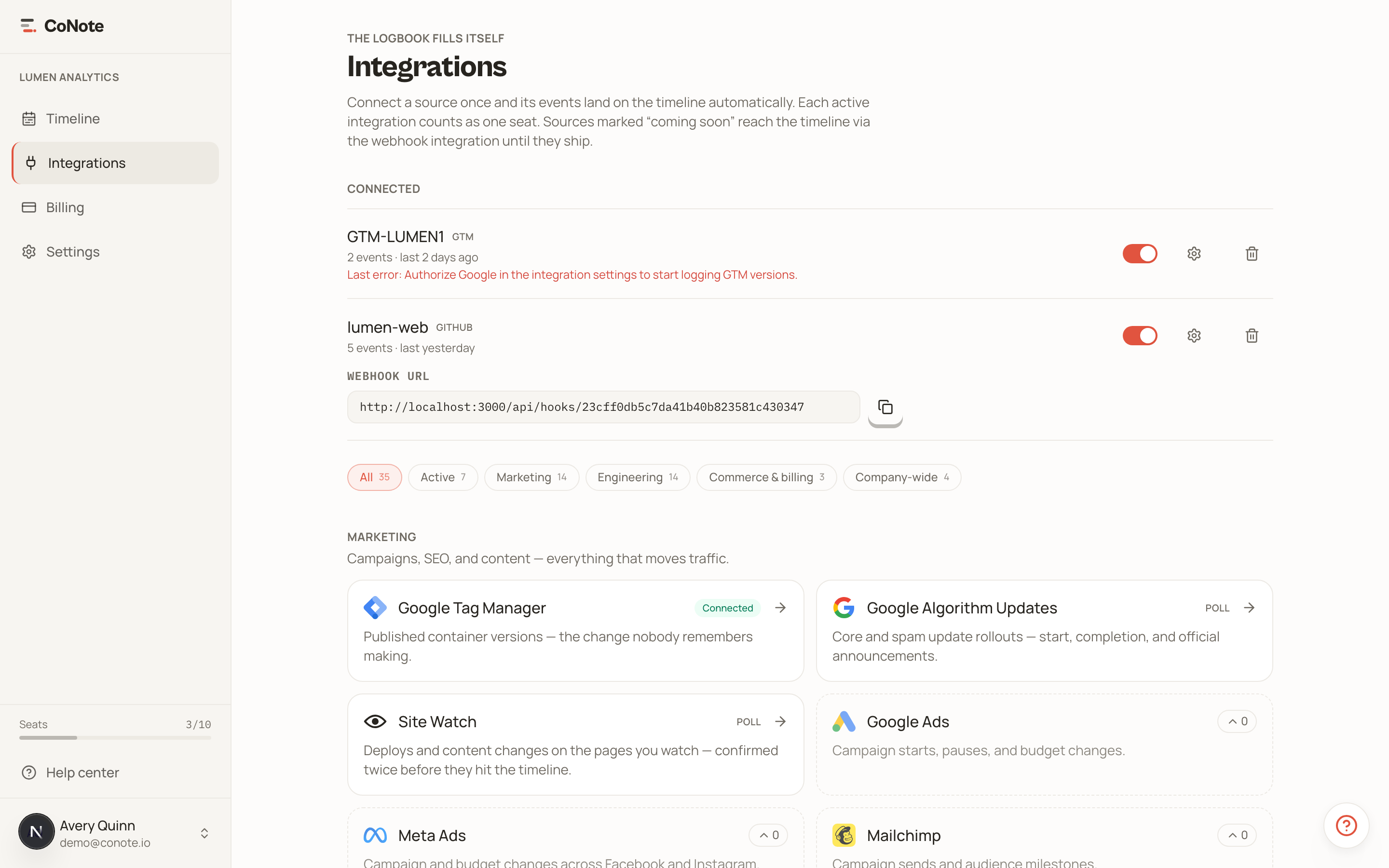
Go to Integrations in the dashboard and open the Browse tab. Providers are grouped by business unit — Marketing, Engineering, Commerce, Company-wide — with live and coming-soon options shown together. The Your integrations tab lists the sources you have already added.
Connect
Pick a provider and follow its setup. Real-time integrations give you a private link (and a matching key) to paste into the tool; scheduled integrations just ask for what they need, like a URL to watch or a quick sign-in.
Watch the first event land
Trigger a real event — push a commit, publish a container — and watch it appear on the timeline. That first arrival is what flips the integration to Connected.
What the status means
Saving the setup form adds the integration; it does not connect it yet. The status on each card tells you exactly where it stands:
- Not connected — the sign-in to the tool is still missing. Open the integration and finish it.
- Waiting — everything is set up, and CoNote is waiting for the first data to confirm the link works. Real-time sources show this until the tool sends its first message; scheduled ones usually clear it within a minute.
- Connected — data is arriving. This is the only status that means the integration is working.
- Needs attention — it worked before and the last check failed. Usually a sign-in that expired.
- Needs a seat — it is ready but your plan has no free seat, so it has not started.
- Paused — you turned it off. It collects nothing and uses no seat.
Integrations and seats
An integration counts as one seat only once it is connected, the same as a team member. Setting one up is free: if the sign-in never finishes, or the tool never sends anything, you are not charged for it. Plans include a fixed number of seats, so pausing an integration you no longer need frees a seat. See plans and seats for the details.
Can't find your tool? The generic Webhook integration can log events from almost any system, including your own scripts.