Vercel integration
Record every production deployment as a Deployment note, so a shift in your metrics lines up with the release that shipped that day.
A deploy is the single most common reason your numbers move, and it's the first thing you want to see on the timeline. This integration logs every production deployment (every release that goes live) from Vercel as a Deployment note, with the project, branch, and commit (one saved change).
What lands on your timeline
When a production deployment goes live, CoNote records a Deployment note. Failed production deployments are logged too, so a broken release is visible at a glance. Preview deployments are ignored by default (you can change that in the settings).
How it works
CoNote gives you a private link, so Vercel sends each finished deployment automatically. Each request is verified with a Signing secret, a private key only you and CoNote share, so Vercel can prove the message is real, and only genuine Vercel events are logged.
Setting it up
Add the integration
In Integrations, choose Vercel. Copy the link shown after you connect.
Create the webhook in Vercel
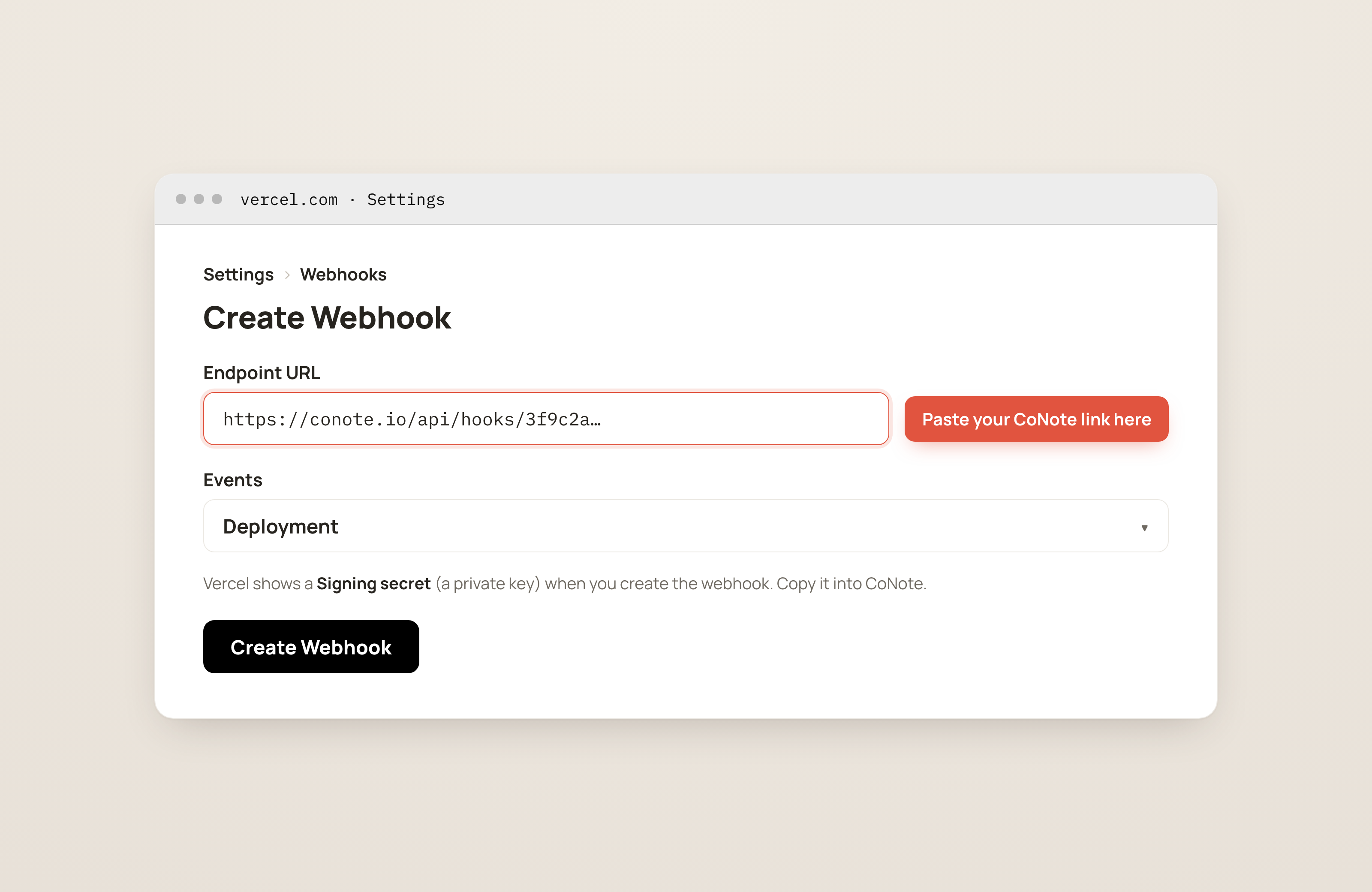
In Vercel, go to Settings → Webhooks → Create Webhook (the Webhooks section, where tools send updates from), paste the CoNote link, and select the Deployment events.
Paste the signing secret
Vercel shows a Signing secret (a private key) when you create the webhook. Copy it into this integration's settings in CoNote. That's what verifies each event.
Because we run on Vercel ourselves, this is the easiest one to confirm: trigger a deploy and watch the note appear on the timeline within seconds.