Webhook integration
The universal way in: send events from any tool that can POST JSON, including your own scripts.
In plain terms: CoNote gives you a private link, and any tool (or your own script) sends each event to that link, where it becomes a note. That private link is the "webhook."
The Webhook integration is the catch-all. If a tool can send an HTTP request, it can write to your timeline, and so can your own code. It's also the only programmatic way to get events into CoNote.
What it's for
- Tools without a dedicated integration that can fire a webhook.
- Your own deploy scripts, cron jobs, or internal services posting events.
- Bulk-sending events from a one-off script.
How it works
When you add the integration, CoNote gives you a unique URL and a shared secret (a private key only you and CoNote share, so CoNote can prove the message is really from you). POST a small JSON payload describing the event (a title, a date, a category) and it becomes a note. You can send a single event or a batch of up to 100 in one request.
Setting it up
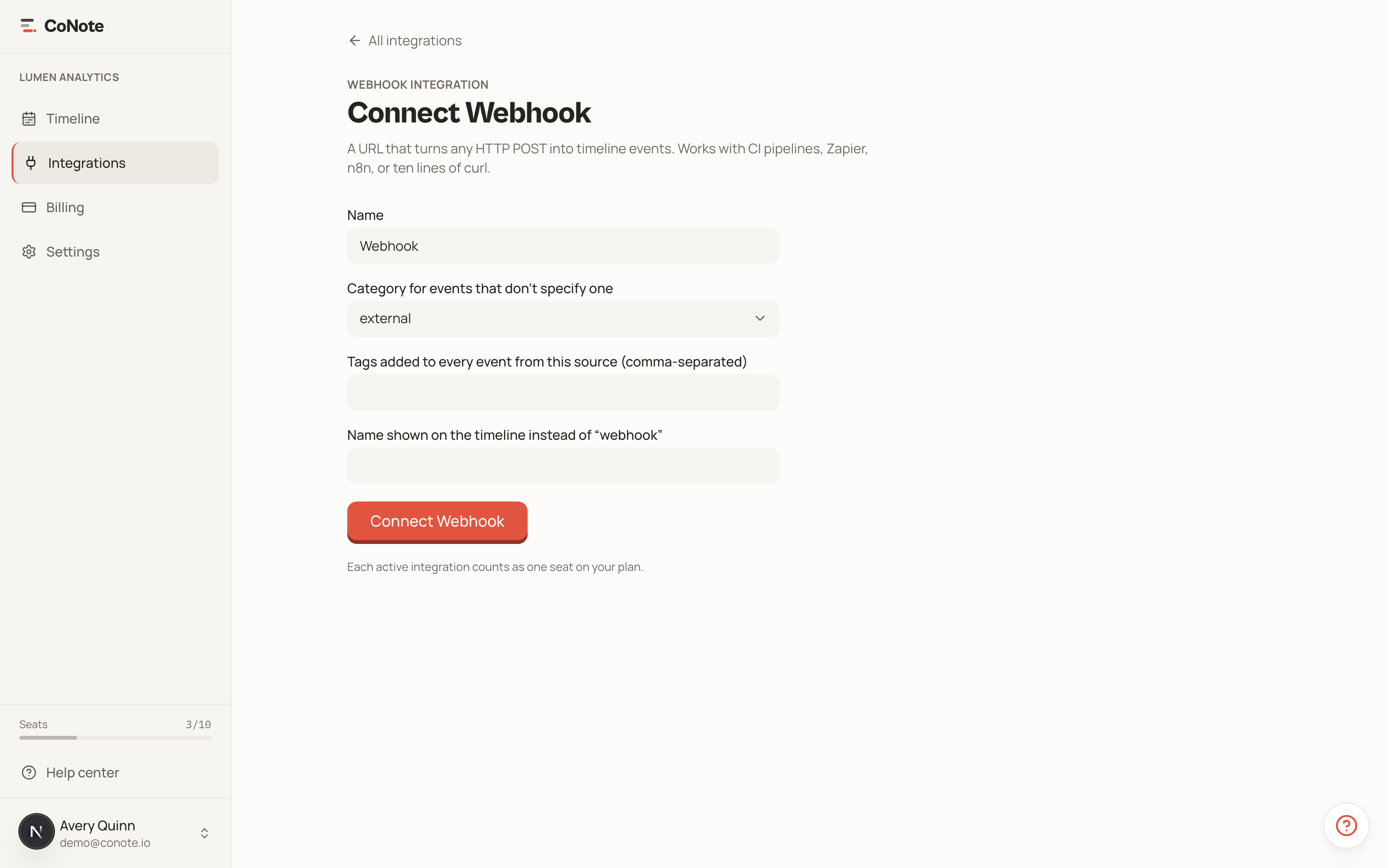
Add the integration
In Integrations, choose Webhook. Copy the URL and the secret.
Send an event
POST your event JSON to the URL, including the secret in the request header. The note appears on your timeline immediately.
Keep your webhook secret private. Anyone with the URL and secret can write notes to your timeline. Treat it like an API key.
Because each integration counts as one seat, a single Webhook integration can be the home for many different scripts: point them all at the same URL.